Style shape outlines with dashes, caps and joins
Learn the difference between new-shape defaults and existing-shape edits, with precise stroke-pattern and alignment rules.
Applies to Photo 0.9.0 on photo.et.
Stroke Options applies valid edits immediately. Closing the popup is not Cancel; use Undo to reverse a change.
What this reference covers#
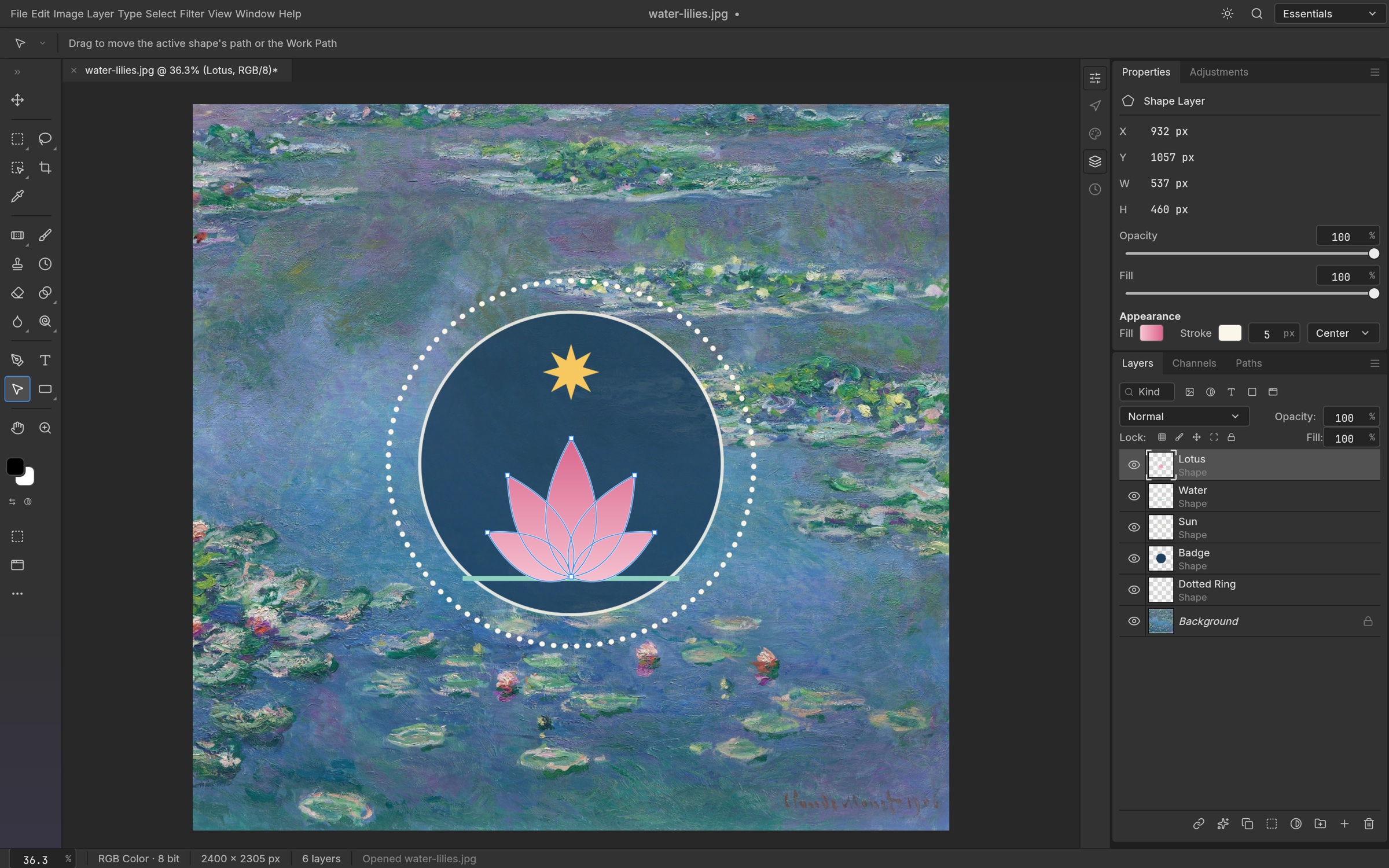
PhotoCraft's Shape tool options bar has a Stroke Options button beside the existing width and colour controls. It sets defaults for new Rectangle, Ellipse, Triangle, Polygon, Line and Custom Shape layers. Pen in Shape mode uses the same style defaults; open Pen shapes retain their existing foreground colour and minimum 1 px width. To edit an existing shape, use Properties → Appearance → Stroke Options.
Fill and Stroke swatches are clickable and open the existing compact colour picker. Choosing a colour preserves its alpha; No Color removes the corresponding paint. Tool-bar fill uses the foreground colour and stroke uses the background colour, as before. Choosing a stroke colour or style deliberately enables a 3 px stroke when no stroke is present. The style button remains available with no stroke, but opening or dismissing it alone does not enable one. Properties edits the selected shape; the options bar continues to set defaults for new shapes.
Dashes, dots and repeating patterns#
The editor offers Solid, Dashed (4 widths on, 2 off), Dotted (zero-length dashes with round caps, spaced every 2 widths), and custom repeating dash/gap sequences. Dash lengths and offsets are multiples of the stroke width; width itself is in document pixels. Odd-length imported sequences repeat twice, following the existing renderer convention. Up to 16 dash/gap pairs can be edited, with Add pair / Remove pair. Zero-length dashes draw dots with Round caps and squares with Square caps; Butt caps draw nothing at a zero-length dash. Each preset's full row, including its line sample, is one clickable target with a visible selected state and an accessible label.
Endpoints and corners#
Caps are Butt / Flat, Round, and Square. They affect open endpoints and individual dashed segments. Closed solid shapes have no endpoints, so their cap control is disabled. Corners are Miter, Round, or Bevel; Miter limit is a ratio, 1–500 (the existing default remains 100). Sharp miters exceeding the limit become bevels. Ellipse has no sharp corners, so its corner controls are disabled. The Line tool retains its existing filled-bar geometry: strokes follow the bar's closed outline. Use an open Pen shape for a centerline with endpoint caps.
Stroke alignment#
Inside / Center / Outside alignment applies to paths whose subpaths are all closed. Inside and Outside clip a double-width stroke against the shape's fill area and respect the existing fill rule and component operations. Open and mixed open/closed paths use Center; their alignment control is disabled. Dash lengths continue to use the specified width, including for Inside and Outside. Opacity is independent of width and paint.
Apply and undo changes#
Stroke Options applies valid changes immediately and has no Apply or Cancel buttons. One continuous numeric drag in Properties is one undo step. Escape or a click outside closes the popup and retains already applied changes. Opening or closing it without changing a value creates no history entry. Invalid pending numeric values do not replace the last valid style. Child dropdowns can open and select an option without dismissing Stroke Options; Escape closes the child before the parent. The popup fits its content and scrolls only when the available height requires it.
Save the result#
Native .pcraft saves preserve the stroke fields. PSD maps width, dash pattern and offset, cap, join, alignment, miter limit, opacity and paint. More specialized stroke behaviour can differ between applications; check the receiving application's rendering.
New-shape defaults are separate from edits to the selected shape. The defaults in this implementation are not a custom preset library and are not restored across restarts. Save the document to retain the actual shapes and their styles.
Continue reading
Sources and edition notes
Adapted for the browser edition from the pinned PhotoCraft 0.9.0 source. Upstream documentation may also describe desktop workflows.
- docs/shape-strokes.md — Adapted from the upstream documentation for this pinned release.
Try it in Photo
Save your work before leaving the editor. Review the editor overview for file formats and browser limitations.
Open Photo ↗