Add and format editable text
Create headlines, labels and captions directly on a photograph.
Applies to Photo 0.9.0 on photo.et.
How it works#
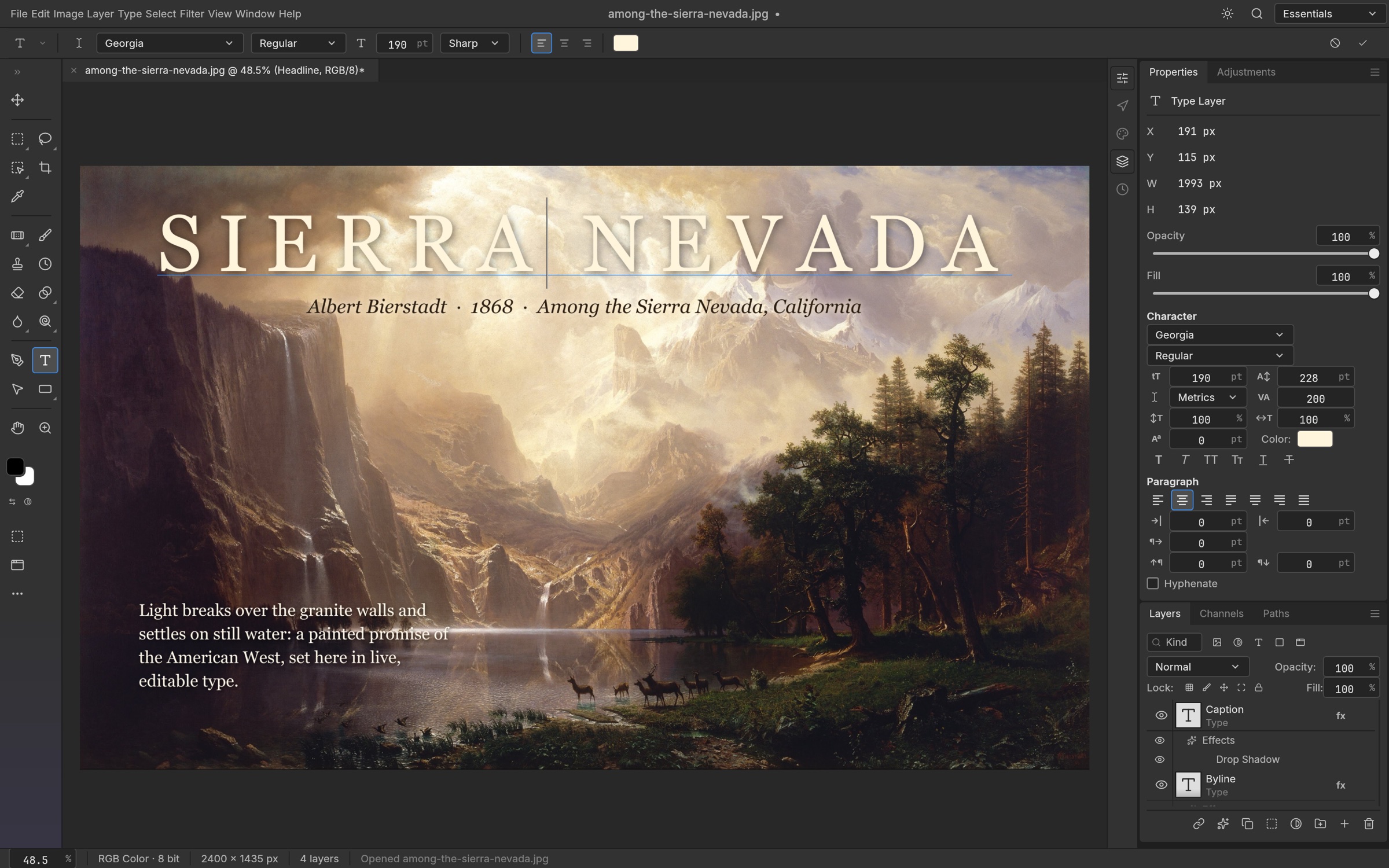
Type layers keep words editable within the composition. Use point text for a short label or headline and paragraph text for a bounded block of copy. Select the Type tool, create the text on the canvas, then use Character and Paragraph controls to refine its appearance. Keep captions on separate layers when they need independent placement or styling.
Font, weight, size, leading, tracking, alignment and color control the basic typography. Leading changes the space between lines; tracking adjusts the overall spacing of letters. Choose settings at the final viewing size, especially for small social graphics where a typeface that looks attractive at high zoom may become hard to read after export.
Type layers can take layer styles such as shadows and strokes. Use these sparingly to maintain contrast over a photograph. Available fonts depend on the fonts supplied to the editor, and a PSD from another machine may need font substitution. Save the editable document before exporting a flat image. Advanced typography and cross-application text fidelity should be checked on the actual file rather than assumed from the presence of text controls.
Try it#
- Choose the Type tool and create a headline or paragraph.
- Set the font, size, color and alignment in the type controls.
- Position the text and compare it at the intended output size.
- Save the editable version before exporting.
Feature reference
- Point and paragraph text
- Short labels and longer text blocks can remain live layers.
- Character controls
- Font, weight, size, leading, tracking and color shape the text.
- Styled type
- Apply layer styles while retaining editable text.
Continue reading
Sources and edition notes
Adapted for the browser edition from the pinned PhotoCraft 0.9.0 source. Upstream documentation may also describe desktop workflows.
- crates/ui-egui/src/type_panels_ui.rs — Character and Paragraph controls.
- crates/ui-egui/src/type_panels_ui/color_picker.rs — Type color UI.
- README.md — Editable type and PSD support.
Try it in Photo
Save your work before leaving the editor. Review the editor overview for file formats and browser limitations.
Open Photo ↗