Draw shapes, paths and vector masks
Build badges, frames and precise outlines with editable vector geometry.
Applies to Photo 0.9.0 on photo.et.
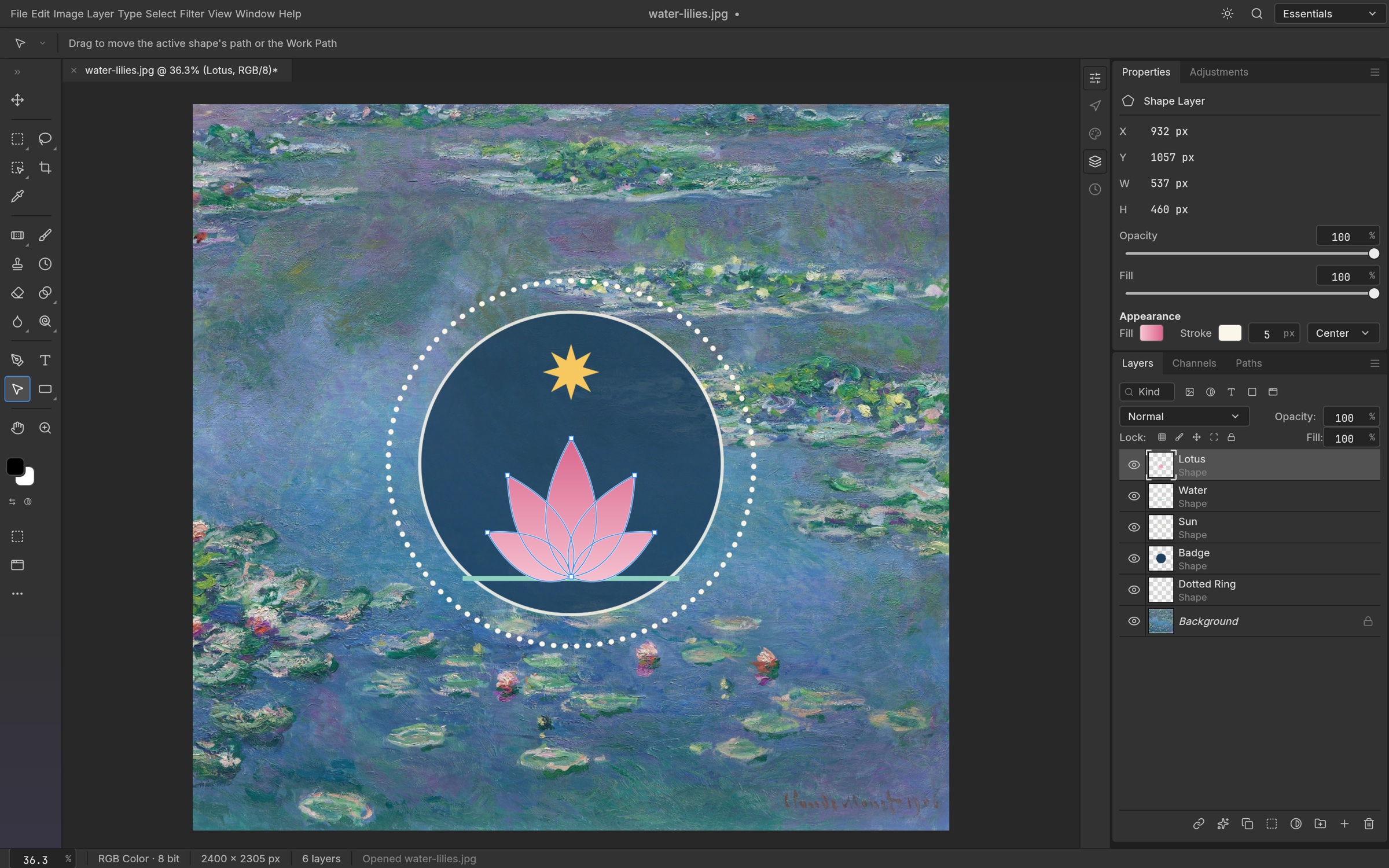
How it works#
Shape layers are useful for graphic elements that need clean edges: a caption background, a circular badge, a divider or an outlined frame. Rectangle, Ellipse, Triangle, Polygon and Line tools cover common geometry. Pen, Freeform Pen and Curvature Pen support custom outlines when a preset shape is not enough.
A path is defined by points and curves rather than by a painted edge. Use path-selection tools to select a path or adjust its points. Paths can be retained in the Paths panel, filled or stroked, or used as vector masks. Combining shapes with unite, subtract, intersect and exclude creates more complex silhouettes from simpler pieces.
Fill and stroke controls determine how the geometry appears. Gradient fills and dashed or aligned strokes can make a simple shape work as a label, border or decorative element. Keep a shape live if you expect to resize it; rasterizing converts it to pixels and changes what can be edited. SVG can open as shape layers or be placed as a vector Smart Object, though complex imported artwork still needs visual review.
Try it#
- Choose a shape tool and draw a basic element.
- Set its fill and stroke before refining its placement.
- Use path tools for custom points or combine shapes for a complex outline.
- Keep the shape layer editable in the saved document.
Feature reference
- Shape tools
- Rectangle, Ellipse, Triangle, Polygon, Line and custom shapes support graphic design.
- Path editing
- Pen variants and selection tools create and refine curves.
- Vector styling
- Gradient fills, dashed strokes and boolean combinations extend basic shapes.
Continue reading
Sources and edition notes
Adapted for the browser edition from the pinned PhotoCraft 0.9.0 source. Upstream documentation may also describe desktop workflows.
- docs/shape-strokes.md — Shape stroke behavior.
- crates/ui-egui/src/pen_draw_tests.rs — Pen interaction coverage.
- book/src/formats/svg.md — SVG import and placement.
- README.md — Vector feature inventory.
Try it in Photo
Save your work before leaving the editor. Review the editor overview for file formats and browser limitations.
Open Photo ↗